
Description
Product Overview
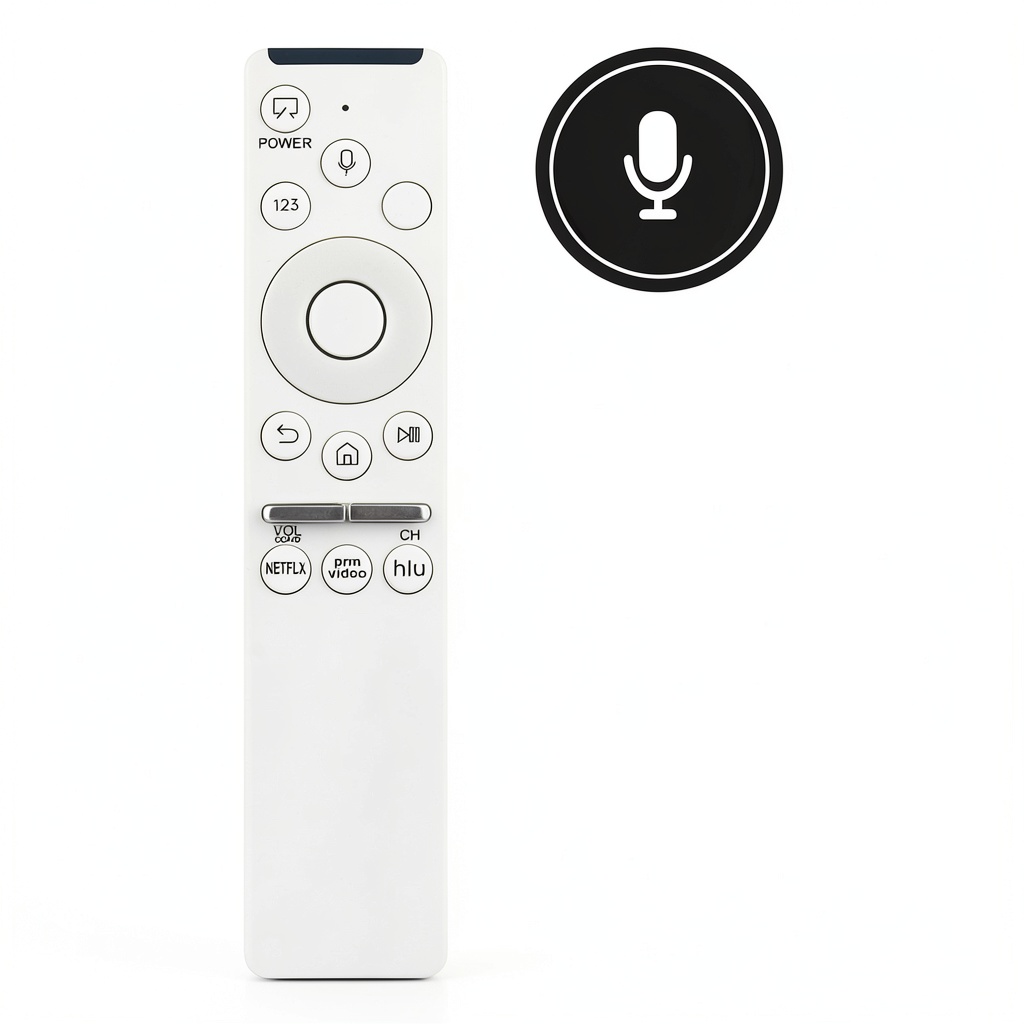
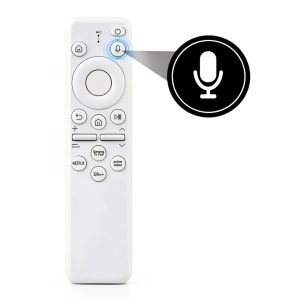
This BN59-01312Q replacement voice remote is engineered specifically for Samsung Smart 4K UHD HDTV models, including QN43LS03R, QN49LS03R, QN55LS03R, QN65LS03R, and their variants. It replicates the original remote’s functionality with voice control capabilities, media playback buttons, and a custom layout designed for intuitive TV operation. Constructed from durable materials, it ensures long-lasting performance and seamless integration with your Samsung TV system.
Usage
Ideal for living rooms, bedrooms, or home theaters, this remote is suited for Samsung TV owners who need a reliable replacement or backup control. Use it for daily TV navigation, streaming services like Netflix or Hulu, and voice-activated searches. It’s perfect for families, tech enthusiasts, or anyone seeking enhanced convenience in their entertainment setup.
Why Choose Us
Our replacement remote offers exact compatibility with multiple Samsung TV models, ensuring no loss of functionality compared to originals. It undergoes rigorous quality checks for durability and performance, providing a cost-effective solution without compromising on features. The thoughtful design prioritizes user experience, making it a trustworthy choice for maintaining your TV’s full capabilities.
Key Features
- Voice control functionality for hands-free TV operation and search
- Compatibility with Samsung QN43LS03R, QN49LS03R, QN55LS03R, QN65LS03R series and more
- Media playback buttons including play, pause, forward, back, and stop
- Custom layout designed for easy learning and full TV control
- Simple pairing process for quick setup and immediate use
FAQ
Is this remote compatible with my Samsung TV model?
Yes, it is compatible with models such as QN43LS03R, QN49LS03R, QN55LS03R, QN65LS03R, and their variants listed in the product details. Check your TV’s model number to ensure match.
Does the voice remote require any setup?
Yes, the remote needs pairing with your TV before use. Follow the on-screen instructions or refer to your TV’s manual for pairing steps, which typically involve holding specific buttons.
Are batteries included with the remote?
No, batteries are not included. You will need to provide two standard AAA batteries for operation.
Can I use this remote for streaming apps?
Absolutely, the media controls and voice functionality work with popular streaming services, allowing you to manage playback and search content effortlessly.
What if the remote doesn’t work after pairing?
Ensure the batteries are correctly installed and the pairing process is completed. If issues persist, reset the remote by removing batteries and re-pairing, or consult Samsung support for troubleshooting.

Reviews
There are no reviews yet.